


CommonSpirit - CO/KS/UT
4.4142.00 Reviews
App Specs
- Version
- 11.5.2
- Updated On
- License
- Free
- Downloads
- 10,000+
- Developer
- CommonSpirit Health
- Categories
- Medical
- Platform
- Android
Screenshots
 Analysis by AppCompare
Managing healthcare is rarely difficult because of one big task. More often, it is the small interruptions that cause trouble: checking a message while away from a computer, trying to remember where a lab result appeared, or needing to look up a portal update before an appointment. CommonSpirit - CO/KS/UT is built for that mobile gap. It is a free medical app from CommonSpirit Health that provides access to the organization’s patient portal for people connected with its Colorado, Kansas, or Utah services.
I found its value less in novelty than in convenience. It puts an existing healthcare relationship into a phone-sized format, which can be useful when a desktop is not nearby. The app has an average rating of 4.4 from around 283 ratings, and its audience is broad because it carries an Everyone content rating. It is also a relatively focused tool: this is not a general health tracker, symptom game, or medication reference. Its usefulness depends on whether you already use the relevant CommonSpirit patient portal.
How the app feels when your healthcare information is network-dependent
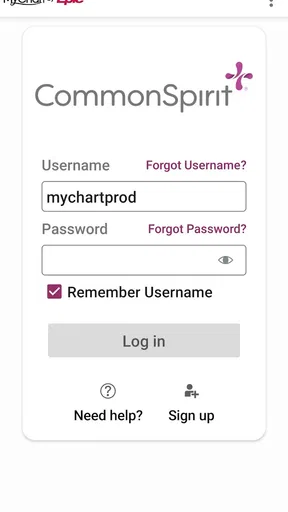
The first thing I would keep in mind is that this is a connected healthcare app. The central experience involves reaching a patient portal, so the quality of your internet connection can shape how smooth the session feels. On a strong home connection or dependable mobile signal, opening the app when you need a portal task is straightforward. In a weak-signal area, the experience can become less predictable, especially if you are trying to retrieve information at exactly the moment you are leaving a clinic or moving between buildings.
That matters because healthcare tasks often happen at inconvenient times. You may be in a parking lot checking whether a portal message arrived, sitting in a waiting room before an appointment, or traveling between work and home while trying to remember an instruction. In those situations, the app is most useful when you treat it as a doorway to current account information rather than as a place to store a complete personal health record on your phone.
I would not plan an urgent medical decision around an app session. A patient portal is helpful for routine communication and account access, but it is not a replacement for emergency care or direct clinical help when a situation cannot wait. That distinction is especially important when a poor connection makes you unsure whether a page has loaded fully. If something is time-sensitive, use the appropriate healthcare contact method instead of repeatedly refreshing the app.
The network-dependent nature also changes how I would prepare for an appointment. If I know I need a particular message or result, I would open the portal before leaving a reliable connection and give myself time to read it. That small habit avoids trying to solve a connectivity problem in a hospital corridor or outside a clinic. It is a practical advantage of using the app deliberately rather than assuming the phone will always connect instantly.
A realistic mobile appointment routine
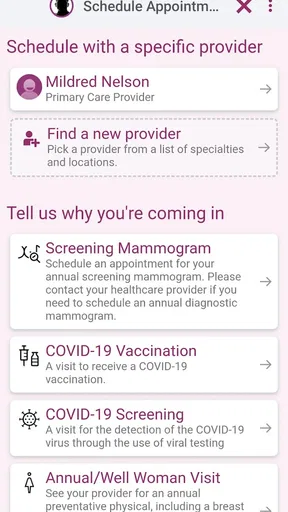
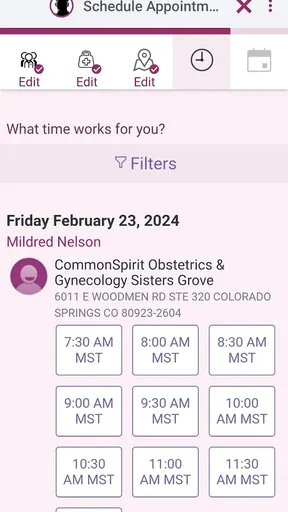
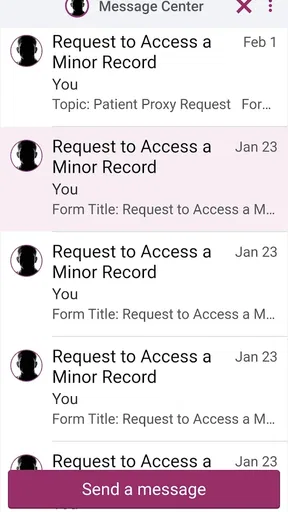
Imagine receiving a notification that your care team has sent an update while you are at work. You open CommonSpirit - CO/KS/UT during a break, sign in to the portal, read the message, and make a note of what you need to discuss at your next visit. Later, in the waiting room, you can check the same portal again instead of searching through email or trying to remember which web page you used.
Worth Reading Before You Choose

Flipboard Shows What News Apps Must Do Beyond the Feed

Switching to Android Auto Means Rethinking Your Driving Routine

Google Calendar Makes a Crowded Week Easier to Manage

Ludo King Makes the Most of the Minutes Between Plans

Baby Panda World Brings Quick Play to Modern Phones, but Its Game Library Feels Busy

ESPN’s Live Game View Makes Following Close Games Easier
That workflow is modest, but it is exactly where a patient portal app earns its place. The phone is already with you, and the app reduces the need to find a computer. If the connection is unreliable, however, I would avoid leaving the important step until the last minute. Reading an instruction early and keeping your questions in a separate note can be more dependable than expecting to retrieve everything during the appointment itself.
Another useful habit is to distinguish between an app problem and an account problem. If the app opens but a portal action does not work, the issue may relate to your patient account rather than the phone application. If the app itself cannot reach the service, the network may be involved. Recognizing that difference helps you choose a better next step instead of repeatedly tapping the same control.
Where mobile access helps, and where it does not
The strongest audience is people who already receive care through the CommonSpirit Health locations covered by the app and want a more convenient way to reach their portal. It can be particularly useful for patients who dislike managing healthcare through a browser, people who move between home and work, and family members who regularly check account information while away from a desk.
The app is less compelling for someone who does not have a relevant CommonSpirit portal relationship. Installing it alone does not make it a universal medical information service. It is also not the right choice for someone looking for daily wellness tracking, exercise records, food logging, or broad medical education. A general health app would be a better fit for those goals, while the provider’s direct contact channels remain more suitable for urgent questions.
Compared with using a normal mobile browser, a dedicated app can feel easier to return to because it has a clear place on the phone. The trade-off is that a browser may be more convenient if you rarely access the portal or switch between several healthcare organizations. Someone managing records from multiple providers may prefer a broader personal system for organizing information, while a CommonSpirit patient will likely appreciate having the relevant portal entry separated from unrelated websites.
I also see a practical privacy trade-off. A portal app keeps healthcare access close at hand, but that convenience makes phone habits more important. I would avoid opening sensitive information on a shared screen, public device, or unsecured situation, and I would be careful about leaving the phone unlocked after reading a message. These are not reasons to avoid the app; they are reasons to treat mobile portal access with the same care as any other health record.
What to do when a session fails
Connectivity failures are frustrating in any app, but they feel more serious when the screen involves healthcare. My first step would be simple: check whether the phone has a stable connection, then retry once rather than repeatedly pressing buttons. If you are moving between Wi-Fi and mobile data, waiting until the connection settles can prevent a half-loaded session from creating confusion.
If the app does not behave as expected, I would record the practical details before seeking help: whether it opened, whether the portal sign-in appeared, and whether the problem happened while loading a specific area. That information is more useful than saying only that “the app is broken.” It can help separate an access issue from a service issue and make support conversations shorter.
I would also keep an alternative plan for important appointments. Save the appointment details in a separate place, write down questions before traveling, and do not assume that a portal screen will be available at the exact moment you need it. This is one of the most important lessons with a connected medical app: convenience improves preparation, but it should not become the only copy of information you need immediately.
When an app update is available, installing it can be sensible because portal software changes over time. The current version is 11.5.2, and the app supports devices running Android 9 or later. That makes checking device compatibility worthwhile before blaming a connection or account. On an older phone, keeping the operating system and app in a supported state can reduce avoidable friction.
Using it without wasting mobile data
For ordinary portal checks, I would use a trusted Wi-Fi connection when one is convenient, especially if I expect to read several messages or review multiple pages. A quick notification check over mobile data is a different situation from a longer session, so the sensible approach is to match the connection to the task. There is no need to spend time loading a full portal session while rushing through a weak signal if the task can wait until home.
Data-conscious use is also about attention, not only megabytes. Before opening the app, decide what you need: a message, an appointment detail, or a particular piece of account information. Focused sessions are easier to complete and less likely to leave you wondering whether you saw the correct update. I would avoid repeatedly closing and reopening the app just because a page feels slow; first confirm that the connection is stable.
For privacy, I would be especially careful on public Wi-Fi. A medical portal deserves the same caution as online banking, even when the task seems routine. If I had to use a shared or public connection, I would keep the session brief and avoid lingering on sensitive screens after finishing. The app’s mobile format makes access convenient, but it also means healthcare information can appear in places where other people are nearby.
One non-obvious benefit of a planned session is that it reduces the temptation to use screenshots as a substitute for understanding. A screenshot may be useful as a temporary reminder, but it can become outdated and may expose private information in the phone gallery. I would rather read the portal message carefully, write down the action I need to take, and return to the account when I need the current version.
Who should choose it and who should look elsewhere
CommonSpirit - CO/KS/UT makes the most sense when three conditions line up: you use the covered CommonSpirit Health patient portal, you want access from a phone, and you usually have a dependable connection when handling healthcare tasks. In that setting, the app’s simplicity is a strength. It keeps the focus on reaching your care account instead of surrounding it with unrelated health tools.
I would hesitate to recommend it as a first choice to someone who needs offline access as a central part of their routine. The app is designed around portal connectivity, so I would plan on being online when using it rather than assuming that important information will remain available without a connection. A person who travels through areas with unreliable service should prepare with notes and alternative contact details rather than relying on a last-minute portal visit.
I would also choose another option for urgent communication, broad health education, or managing records from several unrelated providers. The app’s focused purpose is valuable, but that same focus limits it. A general medical reference, a provider’s phone service, or a separate record-organizing method may better match those needs.
CommonSpirit Health is the developer, and the app has passed the ten-thousand-install mark. Those figures suggest that it has found a real audience without making it a universal solution for every patient. Its free price removes a financial barrier to trying it, while the Everyone rating makes it approachable for a wide range of users. The more important question is still whether your care is connected to the specific regional portal it serves.
My connectivity verdict
After looking at the app through everyday mobile situations, I see CommonSpirit - CO/KS/UT as a practical access tool rather than a feature-heavy medical companion. Its best quality is directness: when I need to reach the relevant patient portal away from a computer, a dedicated app is easier to remember and use than hunting through a browser history.
The main limitation is equally clear. The experience is tied to account access and a working connection, so it rewards preparation. I would open it early when a message or appointment detail matters, use a reliable network for longer sessions, and keep urgent or essential information available through another route. Those habits make the app more dependable without expecting it to do something it was not designed to do.
With a 4.4 average and a free download, it is reasonable for an eligible CommonSpirit patient to try it. I would recommend it to someone who wants a focused way to reach their Colorado, Kansas, or Utah patient portal from a phone. I would not recommend installing it simply as a general health app. Its real strength is convenient connected access to your own care account, not replacing every other way you manage healthcare.
Pros
- Quick access to health services and care information in one place.
- Useful for patients across Colorado
- Kansas
- and Utah locations.
- Can help users find nearby CommonSpirit facilities and providers.
- Convenient access to appointment-related tools and patient resources.
- Supports easier communication with participating healthcare teams.
Cons
- Features and availability may vary by state or healthcare facility.
- Some tools require an active CommonSpirit patient account.
- Appointment options may be limited outside participating locations.
- Certain functions can depend on internet access and device compatibility.
- Users may need separate services for care providers outside CommonSpirit.
FAQs for CommonSpirit - CO/KS/UT
What is CommonSpirit - CO/KS/UT?
CommonSpirit - CO/KS/UT is a healthcare-focused mobile app designed for patients and communities connected with CommonSpirit Health facilities in Colorado, Kansas, and Utah. Depending on your location and participating provider, it may help you access health information, manage appointments, review care details, find services, and stay connected with your healthcare organization from a smartphone or tablet.
Who can use the CommonSpirit - CO/KS/UT app?
The app is primarily intended for patients and users receiving care through participating CommonSpirit Health hospitals, clinics, and medical providers in Colorado, Kansas, or Utah. Some features may require an existing patient relationship, a supported account, or identity verification. Availability can vary by facility, location, age, and the services offered through the connected healthcare system.
What features are available in CommonSpirit - CO/KS/UT?
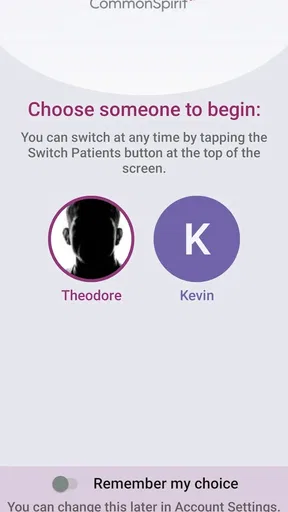
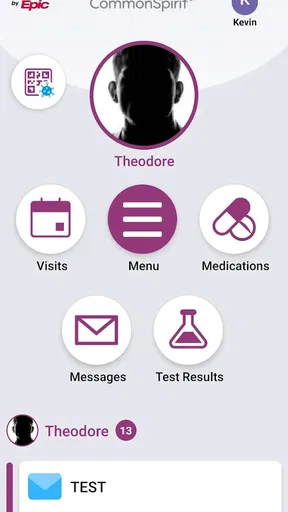
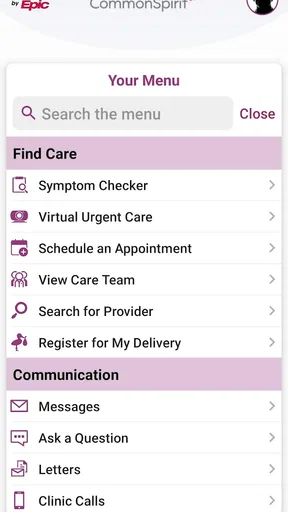
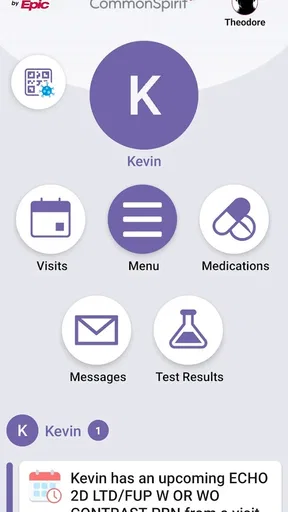
Available features may include viewing appointments, accessing parts of your medical information, checking test results, reviewing visit summaries, communicating with care teams, managing prescriptions, and locating nearby CommonSpirit services. The exact tools depend on your affiliated facility and account permissions, so not every user will see the same options after signing in.
Is CommonSpirit - CO/KS/UT secure for managing health information?
CommonSpirit - CO/KS/UT is designed to provide access to personal healthcare information through a protected account and supported security measures. Users should download the app only from an official app store, use a strong password, enable device security, and avoid sharing login details. The app should not be used for urgent emergencies; contact emergency services when immediate help is needed.
Is CommonSpirit - CO/KS/UT free to download, and what do I need to get started?
The application is generally available to download without an upfront charge, although normal mobile data usage may apply. To get started, you may need an internet connection, a compatible Android or iOS device, and login credentials associated with a participating CommonSpirit provider. Some users may need to complete an enrollment or verification process before accessing patient features.


